Focus session + Website blocker for Chrome
Stay focused. Achieve more.
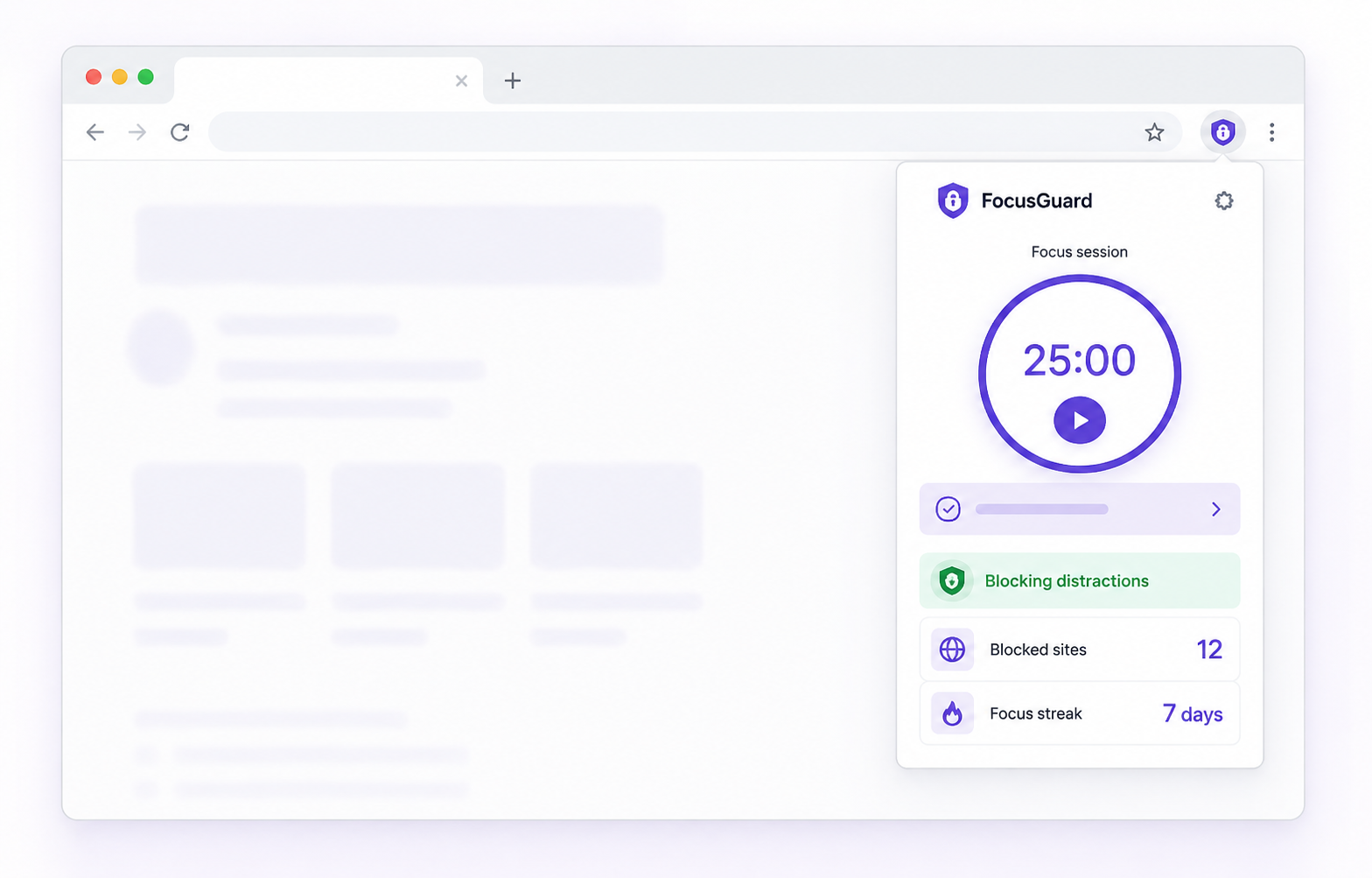
FocusGuard helps you choose one task, run a visible countdown, and block distracting websites during the session or by schedule.
Local-first by designClear permissions
Features
Start a focus session. Block the sites that pull you away.
01
Block distractions
Block the sites that usually interrupt work, either only during a session or through saved profiles and schedules.
02
Build better habits
Create one active task, pick a duration, add session tasks, and keep a simple timer in front of you.
03
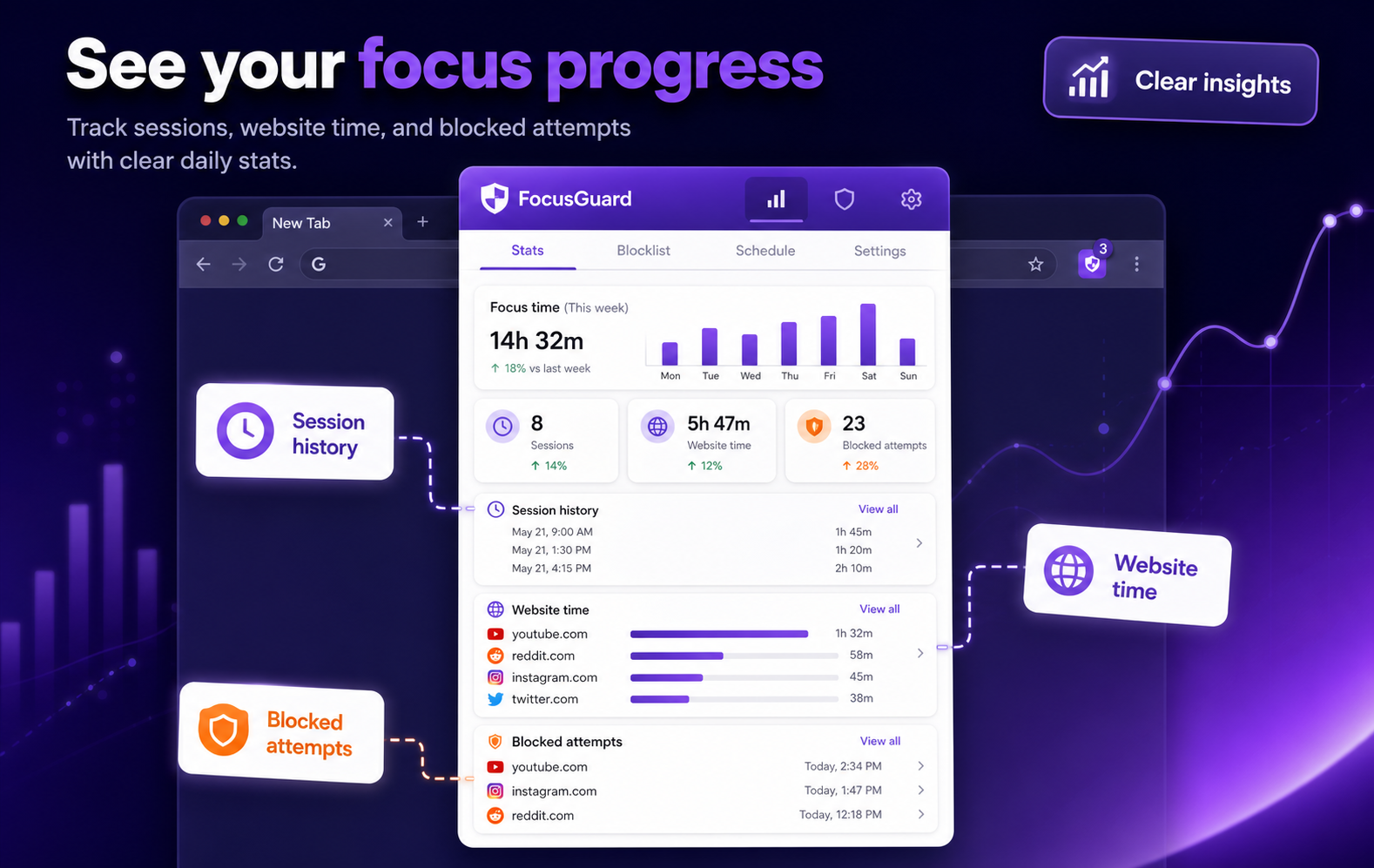
See your progress
Review focus time, visited websites, and blocked attempts from the latest 60 days.
Your complete focus system
One extension for the whole focus loop.
Plan your time, protect your attention, get gentle reminders, and learn from your progress — without leaving Chrome.
01
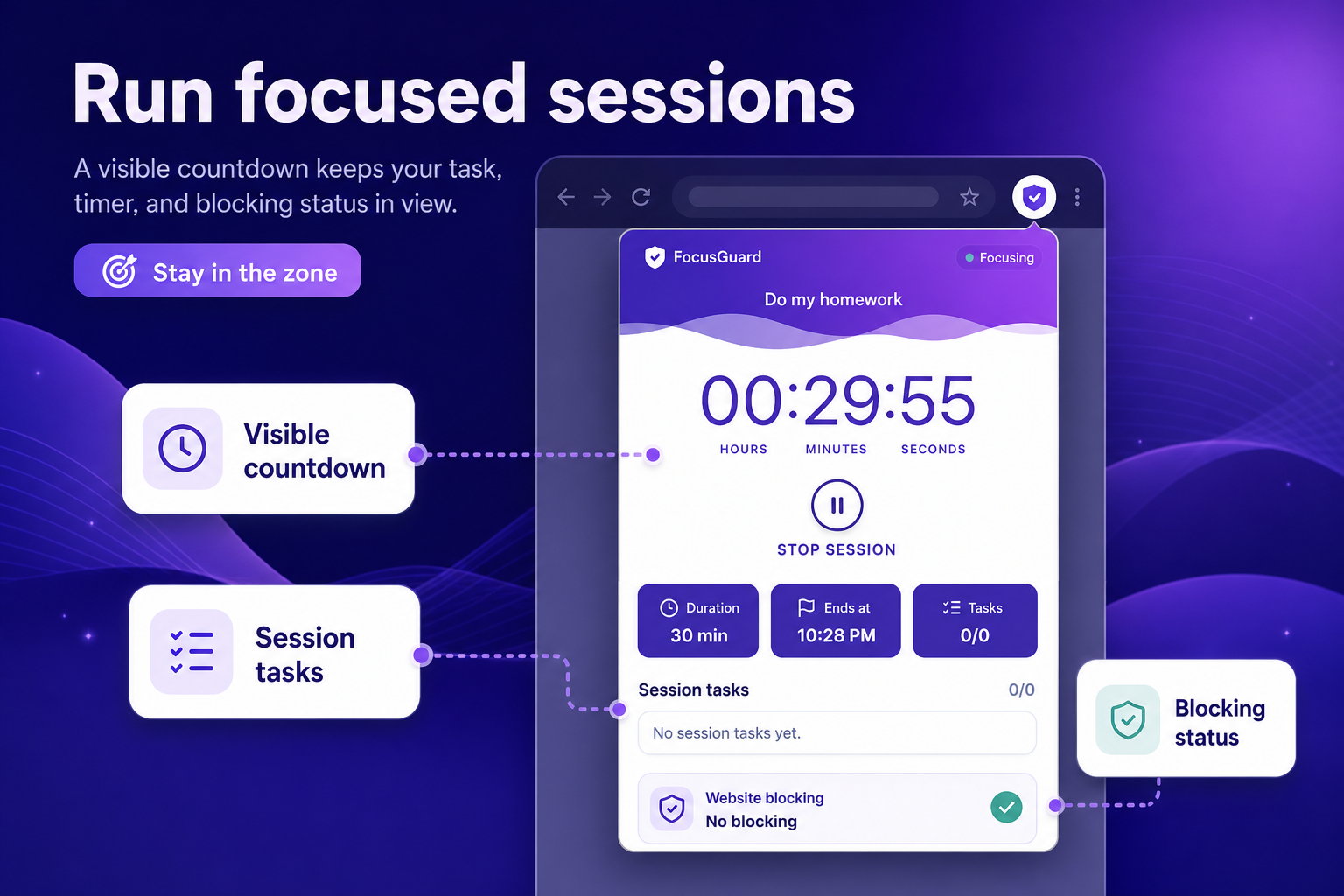
Focus session
Create one active task, pick a duration, add session tasks, and keep a simple timer in front of you.
02
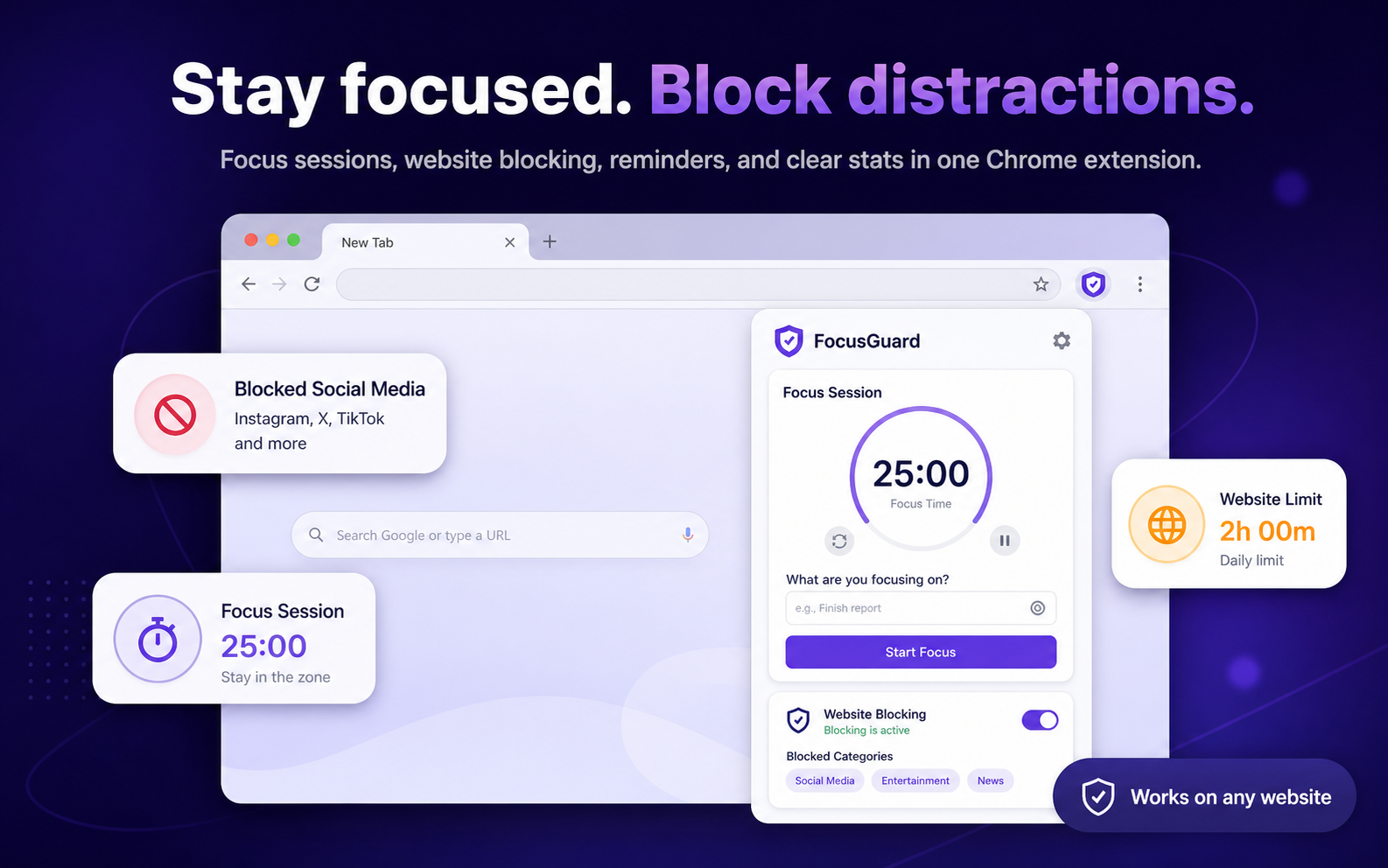
Block distractions
Block the sites that usually interrupt work, either only during a session or through saved profiles and schedules.
03
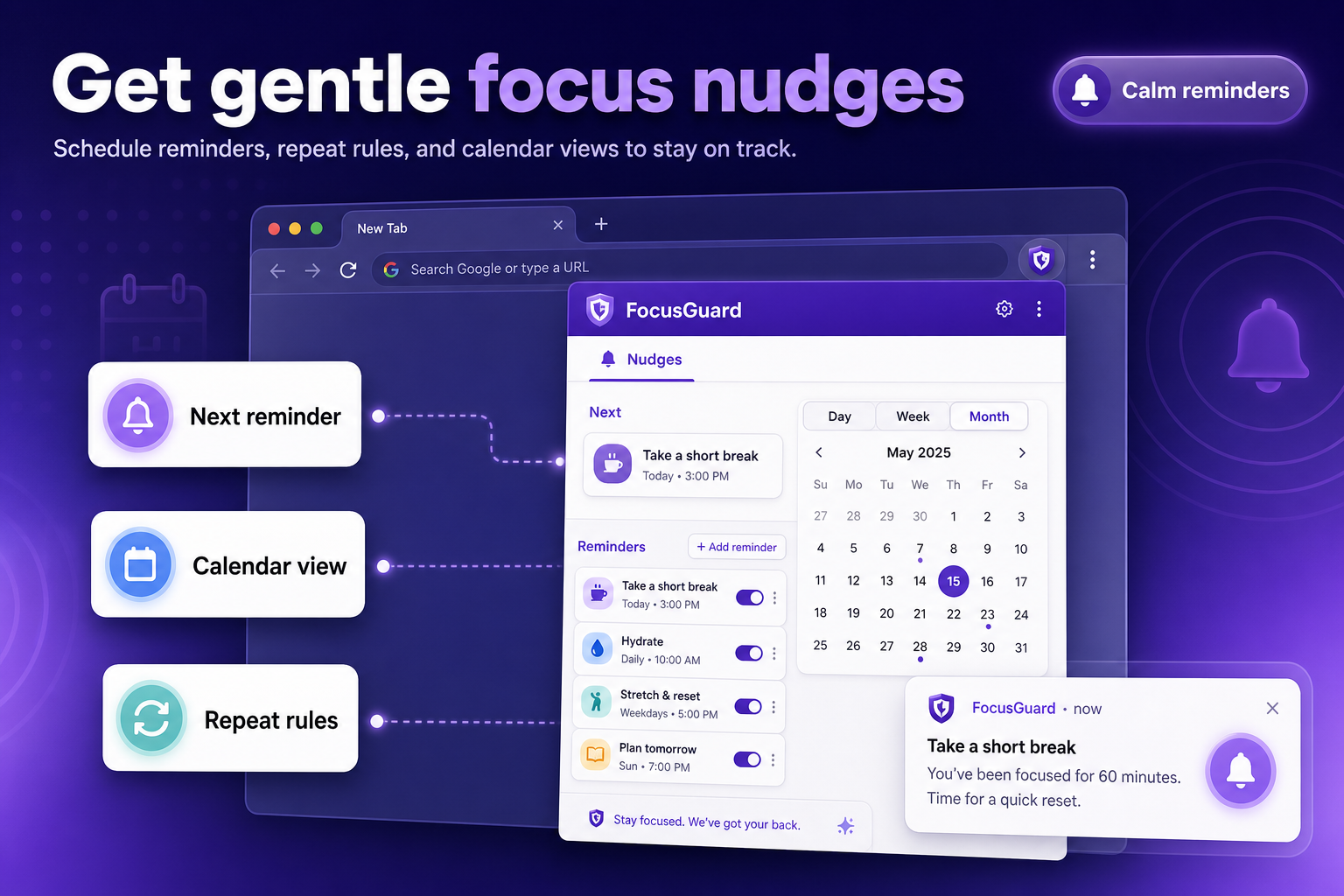
Gentle reminders
Schedule one-off or repeating reminders, view them by day, week, or month, and get a calm nudge when it is time to reset.
04
Private stats
Review focus time, visited websites, and blocked attempts from the latest 60 days.
Block system
More than a simple domain blacklist
FocusGuard lets you choose the right kind of block for the way a distraction shows up: a whole website, a URL pattern, a category, a profile schedule, or a specific page section.
Website
Domain and URL rules
Block a full domain, a specific page, keywords, or URL patterns.
- Add websites such as Facebook or YouTube and toggle each rule on or off.
- Choose domain, exact URL, keyword, or pattern matching for stricter control.
- Edit or remove rules quickly when a website becomes useful again.

Presets
Category blocks
Use ready-made groups for social networks, shopping, entertainment, and adult content.
- Start from curated categories with many built-in blocking rules.
- Turn a whole category on or off without entering every website manually.
- Add custom rules inside a category when your distraction list grows.
Context
Profiles and schedules
Combine rules into work, study, or rest profiles and run them on a weekly schedule.
- Create separate profiles for work, study, evenings, or weekends.
- Attach categories, section rules, and custom websites to one context.
- Pause, resume, or schedule a profile without rebuilding your rules.

Page sections
Section blocks
Hide Shorts, Reels, suggested posts, trends, or other distracting sections without blocking the whole site.
- Keep useful websites open while removing the parts that pull attention away.
- Use ready-made section rules for YouTube, Facebook, and similar feeds.
- Fine-tune selectors when a page layout changes or a custom section matters.

Daily budget
Time limits
Set a daily allowance for websites that are useful in small doses but easy to overuse.
- Give each website a daily minute budget instead of blocking it immediately.
- See progress toward the limit with a clear usage bar.
- Switch limits on or off when a day needs more flexibility.

Privacy and permissions
Local-first by design
FocusGuard stores settings, rules, reminders, language, sounds, recent stats, and an anonymous analytics ID in your browser's local storage.
Local data
No account is required. Analytics, when configured, sends anonymous product events to PostHog without task names, specific URLs/domains, selectors, browsing history, or page content.
Clear permissions
Chrome permissions cover storage, alarms, idle, notifications, offscreen, context menus, tabs, scripting, request blocking, http/https hosts, and PostHog hosts for analytics.
Honest limits
Websites can change layouts, so section blocking can require updates when selectors no longer match.
Support
Buy FocusGuard a coffee
If FocusGuard helps you stay focused, a small coffee keeps development moving.